NOVABER / 3D
3D Reconstruction
Generate point clouds and mesh models from multi-view images or video sequences for spatial modeling workflows.
Released · Version v26.9.8.1-beta
Download for Windows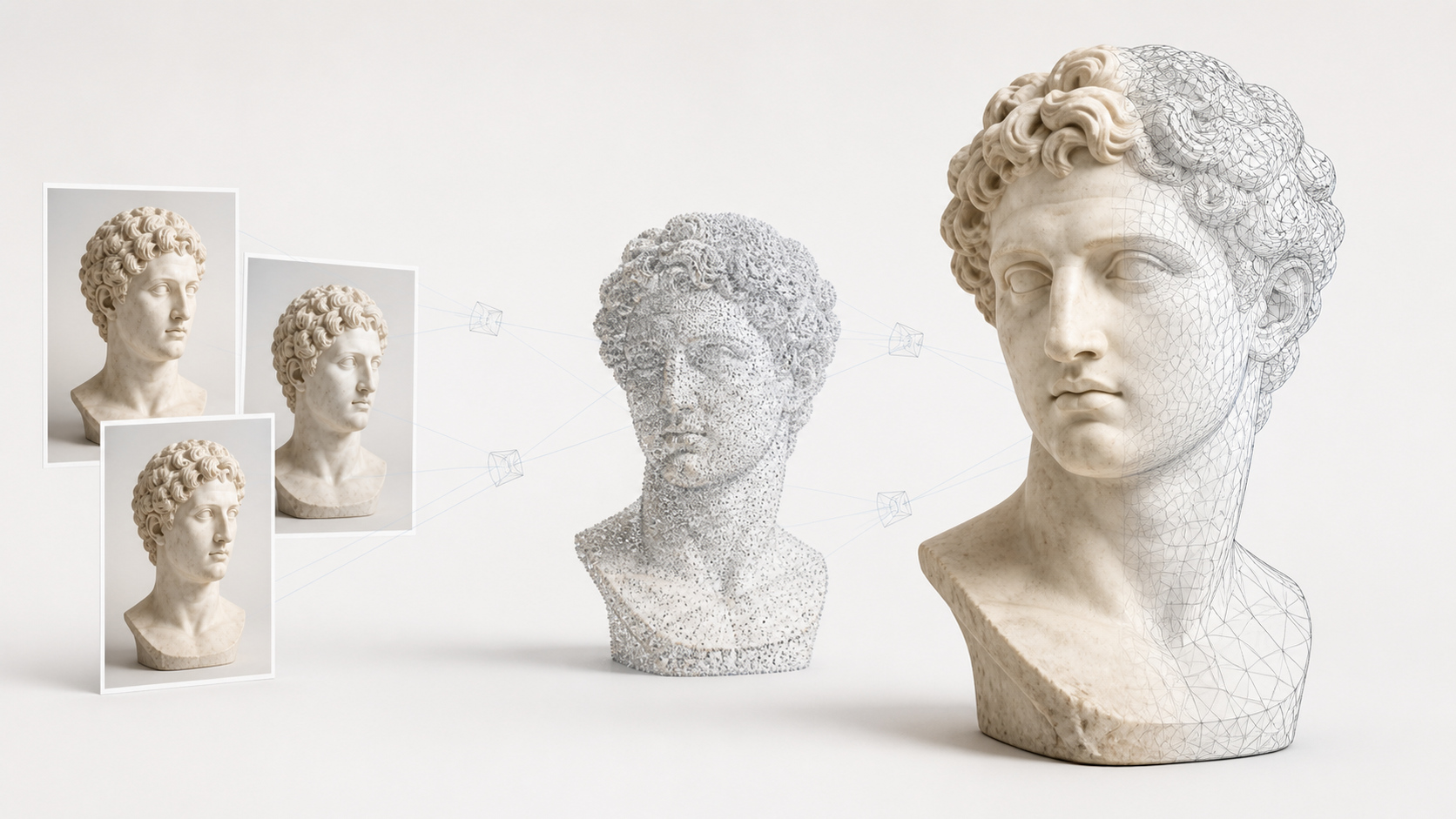
What you can use it for
- Start 3D reconstruction tasks from image sequences or frames extracted from video.
- Connect SAM3 segmentation with COLMAP MVS, NeRF, and 3DGS reconstruction engines in one workflow.
- Process reconstruction tasks in the local application interface and inspect and manage their results.
Requirements
- Operating system
- Windows 10 / 11 · x64
- Runtime
- Docker Desktop
- Compute
- NVIDIA GPU Required
- Video memory
- 12GB+ VRAM
- Download size
- Image >10GB
An internet connection is needed to download applications and sign in. Download size and setup time depend on the image and your connection.
Get started with 3D Reconstruction
- Download and install Novaber for Windows, and prepare Docker Desktop.
- Choose this application in the catalog and check the GPU, VRAM, and download requirements listed on this page.
- Select Install locally and wait for the image download and container setup to finish.
- When the application is ready, select Open workspace to start working in its local interface.
Built with
- COLMAP ↗ New BSD
- SAM 3 ↗ SAM License
- Nerfstudio ↗ Apache-2.0
- Sparkjs ↗ 官方站点
Third-party names and trademarks belong to their respective owners. Use and distribution are governed by each project's license and do not imply endorsement of Novaber.