NOVABER / 3D
3D reconstruction from photos and video
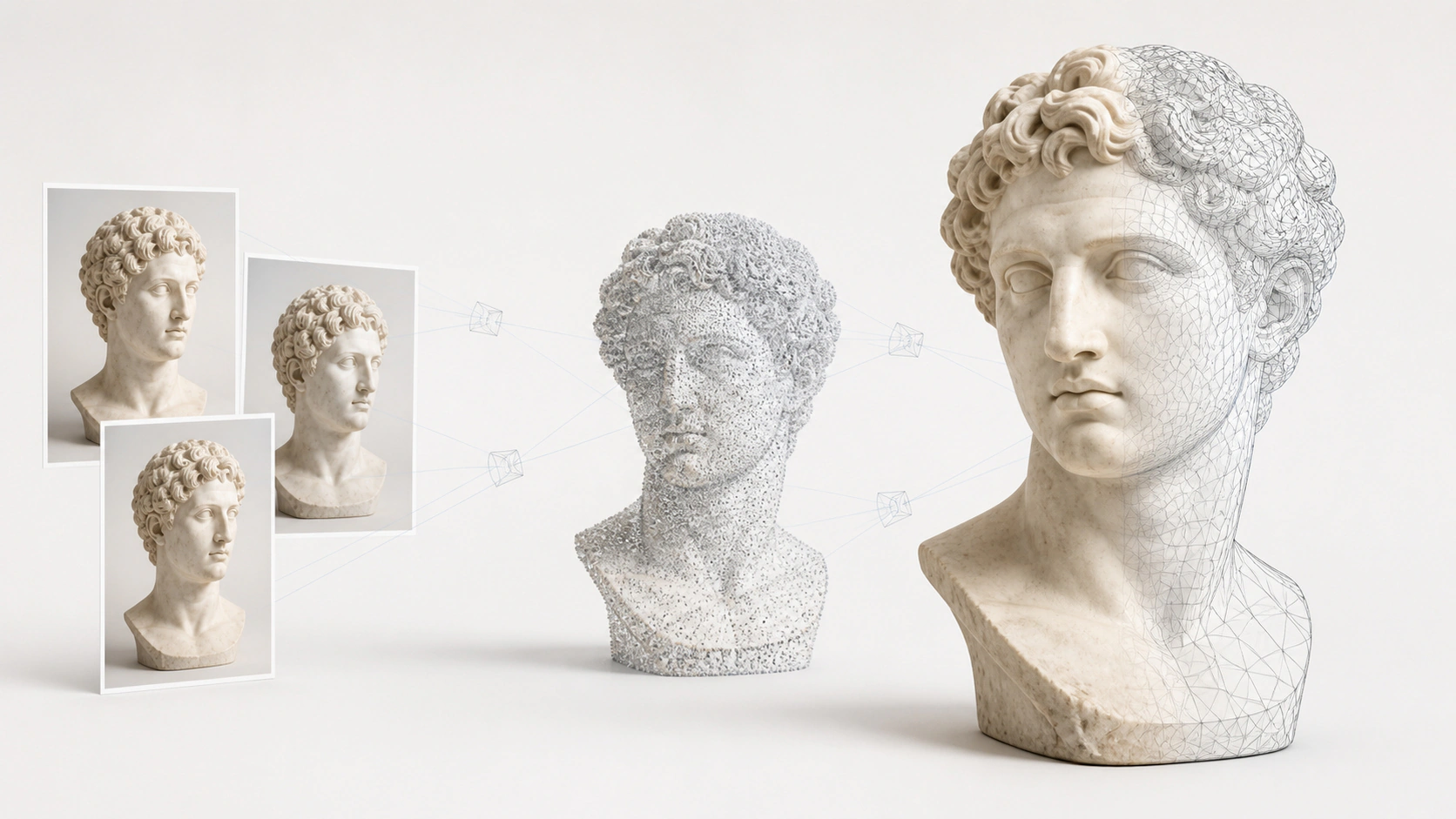
Digitize objects, plants and scenes from multi-view photos or video on Windows. Build point clouds with COLMAP photogrammetry or reconstruct with NeRF and 3D Gaussian Splatting. Preview and export results.
For Windows 10 / 11 x64. Apps require Docker; check each app for GPU and VRAM requirements.
What you can use it for
Create tasks from photos or video and select sharp frames at the requested count
Choose SAM3 text prompts or positive and negative point annotations
Combine annotations from multiple keyframes, preview all frames, then confirm for reconstruction
Inspect each point-guided preview and the current final foreground masks and transparent RGBA results
Estimate camera poses and build sparse or MVS dense point clouds with COLMAP
Train and export NeRF / nerfacto and 3DGS / splatfacto results
Browse point clouds and Gaussian results in the app and download engine-specific outputs
Track stage parameters, progress, logs, and versions with cancellation and failure retry
Build a 3D point cloud from multi-view photos or video
Import media
Create a task and select MVS, NeRF, or 3DGS. Video uses the configured sharp-frame count; images retain their input sequence.
Foreground processing (optional)
Text prompts segment automatically. Review and confirm point-based previews; video supports propagation across keyframes.
Cameras and spatial structure
Match multi-view features, estimate camera poses, and build a sparse cloud for MVS, NeRF, and 3DGS.
Reconstruct with selected engines
Run the selected dense-cloud, neural-field, or Gaussian reconstruction. Image scaling follows task parameters, with stage status, logs, and version history available.
Inspect and export
Inspect foreground masks, RGBA, and 3D outputs separately. Browse point clouds or Gaussian results in the app and download files produced by the selected engines.
Requirements
Setup guide- Operating system
- Windows 10 / 11 · x64
- Runtime
- Docker Desktop
- Compute
- NVIDIA GPU Required
- Video memory
- 12GB+ VRAM
- Image and model size
- Image >10GB
An internet connection is needed to download applications and sign in. Download size and setup time depend on the image and your connection.
Get started with 3D Reconstruction
Installation guideInstall Novaber
Download and install Novaber for Windows, and prepare Docker Desktop.
Check requirements
Choose this application in the catalog and check the GPU, VRAM, and storage requirements listed on this page.
Prepare the app
Select Install locally and wait for the image download and container setup to finish.
Open the workspace
When the application is ready, select Open workspace to start working in its local interface.
Application questions
How can I reconstruct 3D results from photos or video?
Prepare the 3D Reconstruction application in Novaber, then use photo sequences or video footage. The workflow combines foreground processing and reconstruction engines with prompt or point selection, multi-keyframe previews, progress stages and result export.
When should I use a COLMAP point cloud or a 3D Gaussian Splatting scene?
Use COLMAP photogrammetry to inspect camera positions and spatial points. It estimates camera poses and a sparse cloud, with optional MVS dense reconstruction. Choose NeRF or 3DGS to preview objects or scenes from new viewpoints. For objects and plants, you can mark the foreground with SAM3 first.
Which capture tasks does it support?
The current workflow targets object digitization, plant capture and scene modeling. Coverage, capture quality and device capabilities affect results. Check the workspace for requirements and preparation status before starting a task.
Explore more local AI applications
Built with
- COLMAP New BSD
- SAM 3 SAM License
- Nerfstudio Apache-2.0
- Sparkjs 官方站点
Third-party names and trademarks belong to their respective owners. Use and distribution are governed by each project's license and do not imply endorsement of Novaber.